How to Turn Apple Photos Into a Printed Book (After Apple Discontinued Theirs)
Apple killed its built-in photo book feature. Here's how to turn your Apple Photos and iCloud library into a printed book in 2026 — without spending 20 hours on Shutterfly.
TL;DR: Apple discontinued its built-in photo book printing in 2023, and it’s not coming back. Your best options now are Shutterfly/Mixbook (manual, 15-20 hours), Chatbooks (automatic but basic), or LifeCache (AI-powered, 5 minutes per month). If you’re an iPhone user who wants a printed book from your camera roll without the design work, LifeCache is an AI-powered photo book app that automatically turns your phone photos into beautiful printed yearbooks and event books — the closest thing to what Apple should have built next.
If you’ve ever tried to print a photo book from Apple Photos recently, you’ve hit the wall. The option is gone. No more “Create Book” button in the macOS Photos app. No more ordering prints directly from your iCloud library.
Apple quietly killed it. And they left millions of iPhone users without a native way to turn their photos into something physical.
Here’s what happened, what your options are now, and how to actually get a printed book from your Apple Photos without losing a weekend to Shutterfly.
What happened to Apple’s photo book feature?
Apple offered built-in photo book printing from 2002 to 2023. You could select photos in the macOS Photos app, choose a template, customize layouts, and order a printed book directly from Apple. It was simple, it was integrated, and people loved it.
Then Apple killed it.
No announcement. No replacement. Just a quiet removal. The official recommendation? Use a third-party “Photos Project Extension” — basically, Apple telling you to go figure it out yourself.
The extensions Apple suggested (Mimeo, WhiteWall, Mpix) were clunky, poorly reviewed, and required downloading separate apps. Most of them have since been discontinued or stopped updating.
So if you’re an iPhone user with thousands of photos in Apple Photos or iCloud, your native path to a printed book is gone.
What are your options now?
There are four realistic paths to turning your Apple Photos into a printed book in 2026:
Option 1: Traditional photo book makers (Shutterfly, Mixbook)
Export your photos from Apple Photos, upload them to Shutterfly or Mixbook, and design your book manually. Drag photos onto templates. Write captions. Adjust layouts page by page.
Pros: Total creative control. Huge template libraries. Established companies.
Cons: Takes 15-20 hours for a full yearbook. You’re doing all the work — selecting, arranging, captioning. Most people start and never finish.
Option 2: Auto-print services (Chatbooks)
Chatbooks connects to your Instagram or Facebook and auto-creates monthly photo books. Simple, affordable ($15/month for a subscription).
Pros: Truly automatic. Cheap. No design work.
Cons: Pulls from social media, not your full camera roll. No context or captions. No event grouping. The result is a grid of photos without any story.
Option 3: Apple Photos extensions (what’s left)
A few third-party extensions still work within the Photos app on Mac. They let you select photos and send them to a print service.
Pros: Works within Photos app.
Cons: Limited options, basic templates, poor reviews. Most haven’t been updated in years. Not a real solution — more of a stopgap.
Option 4: AI-powered photo book apps (LifeCache)
Upload photos from your iPhone camera roll. AI groups them into events, selects highlights, generates captions and titles. You review in 5 minutes. Print at year’s end.
Pros: Works directly from camera roll. AI handles curation, grouping, and layout. Monthly cadence captures context through prompts. Produces a narrative yearbook, not just a photo grid.
Cons: Requires monthly engagement (5 minutes). iPhone only for now.

Why do most Apple Photos alternatives still require hours of work?
Because they inherited the same broken model Apple used. Start with a blank template. Drag photos in. Arrange manually. Write captions yourself.
The design metaphor hasn’t changed since 2005. You’re still acting as the designer, the curator, and the editor. The only thing that changed is which company’s logo is on the order button.
The real question isn’t “which template tool should I use?” It’s “why am I still doing this manually in 2026?”
| Shutterfly/Mixbook | Chatbooks | Apple Extensions | LifeCache | |
|---|---|---|---|---|
| Photo source | Manual export/upload | Instagram/Facebook | Apple Photos (Mac) | iPhone camera roll |
| Time to create | 15-20 hours | Automatic | 5-10 hours | ~60 min/year (5 min/month) |
| Photo selection | Manual | Auto from social | Manual | AI from camera roll |
| Event grouping | Manual | None | None | Auto by time + location |
| Captions | You write them | None | You write them | AI-generated, you edit |
| Context capture | None | None | None | Monthly prompts |
| Best for | Design enthusiasts | Social media prints | Mac-only users | iPhone yearbook with depth |
How does LifeCache work with your iPhone photos?
LifeCache is built for iPhone. It pulls directly from your camera roll — no exporting to a computer, no uploading to a website, no connecting social media accounts.
Here’s the actual workflow:
1. Upload a month’s photos. Open the app, pick a month, select photos from your camera roll. The app uses the EXIF data already embedded in your photos — timestamps, GPS coordinates — to understand when and where things happened.
2. AI organizes everything. Photos get grouped into events automatically. That Saturday hike, the dinner party, the kid’s soccer game — each becomes its own event with a title and highlighted photos.
3. Review in 5 minutes. You see what AI chose. Swap a photo, edit a title, or just approve. Then answer a few monthly prompts — highlight of the month, best meal, a moment you want to remember.
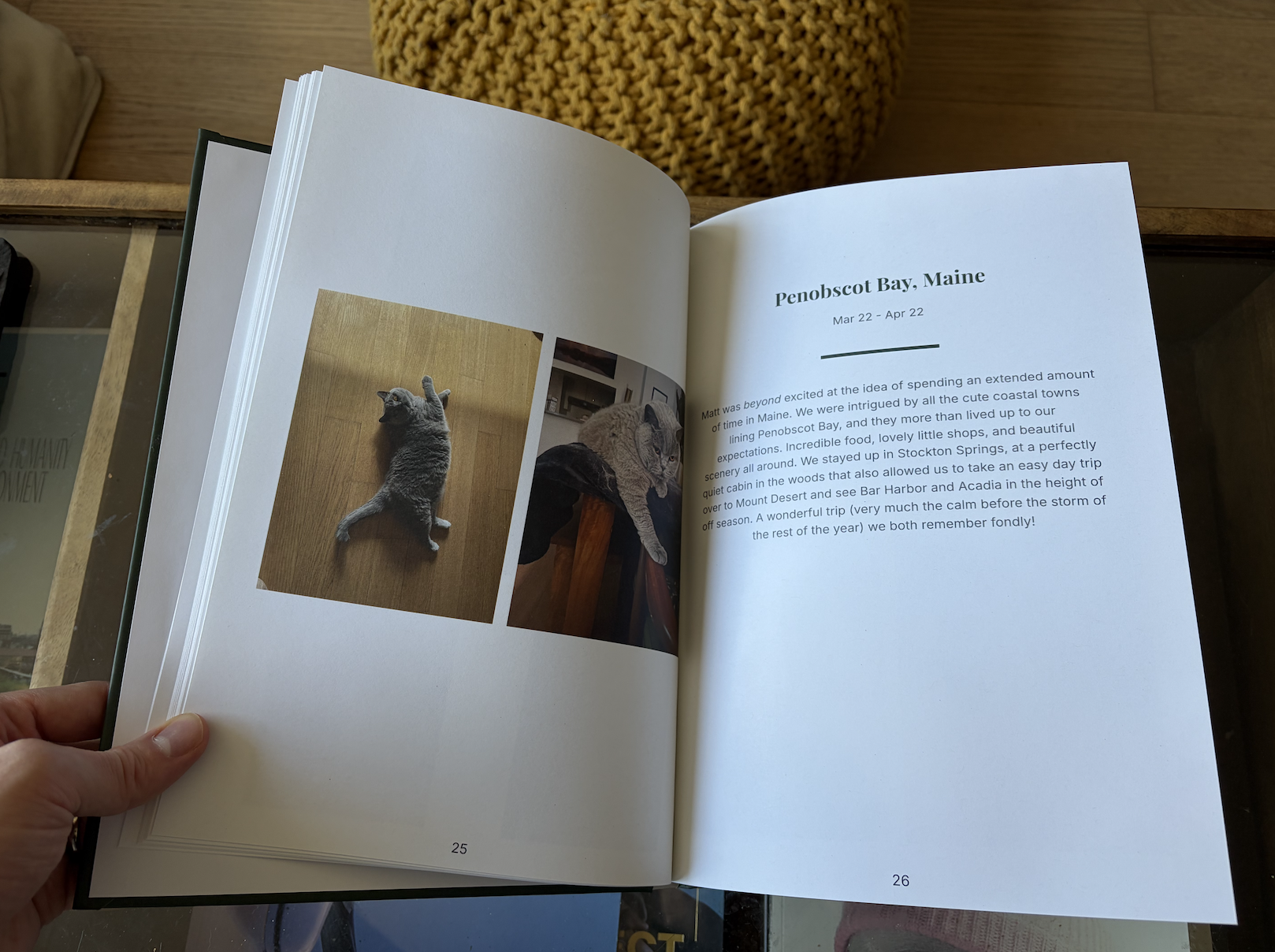
4. Print at year’s end. After 12 months, your yearbook is ready. Choose hardcover or softcover, pick your style, and order.

Can you use iCloud photos with LifeCache?
Yes, indirectly. If your photos are in iCloud and synced to your iPhone (which they are for most people), LifeCache accesses them through your camera roll. You don’t need to export anything or download photos to your computer first.
If you have photos only on your Mac or in an old Apple Photos library, you’d need to make sure they’re synced to iCloud Photos so they appear on your iPhone. For most iPhone users, this is already the case.
How do you get started?
Sign up for LifeCache and upload your first month. The AI will organize your photos into events, pick highlights, and show you what your yearbook page looks like. Plans start at $50/year with a $25 print credit, and there’s a 90-day free trial.
If you’ve been waiting for Apple to bring back photo books, stop waiting. They’re not coming back. But the replacement is better than what Apple offered — because it does the work for you.
Frequently Asked Questions
Why did Apple stop making photo books?
Apple discontinued its built-in photo book printing feature in 2023. Apple never gave an official reason, but the likely explanation is that photo book printing was a low-margin hardware accessory business that didn’t align with Apple’s services strategy. They recommended third-party “Photos Project Extensions” as replacements.
What is the best Apple Photos book alternative in 2026?
It depends on what you want. For total design control, Shutterfly or Mixbook. For automatic social media prints, Chatbooks. For an AI-powered yearbook from your iPhone camera roll with context and captions, LifeCache. LifeCache is the closest to what a modern Apple photo book feature would look like — native to iPhone, AI-powered, minimal effort.
Can I still print photos from Apple Photos on Mac?
You can still print individual photos from the macOS Photos app, but the book creation and ordering feature is gone. A few third-party extensions remain, but most are poorly maintained. For a full photo book, you’ll need to use a standalone service.
How much does it cost to print a photo book from iPhone photos?
With LifeCache, hardcover books start at $39.99 and softcover costs less. Plans start at $50/year with a $25 print credit included, plus a 90-day free trial. Shutterfly and Mixbook hardcovers typically start at $30-50 depending on size and page count.
Can I make a photo book from my iPhone without a computer?
Yes. LifeCache is entirely iPhone-based — upload photos, review AI selections, and order prints all from your phone. Most traditional services like Shutterfly also have mobile apps, though the design experience is better on desktop. LifeCache is designed mobile-first, so the phone experience is the primary experience.
How do I export photos from Apple Photos for a photo book?
If using LifeCache, you don’t need to export — the app reads directly from your iPhone camera roll. For other services, select photos in the Photos app, go to File > Export, choose your format (JPEG recommended), and upload to your chosen photo book service. Make sure “Include Location Information” is checked to preserve GPS data.