How to Make a Photo Book From Your Phone in 5 Minutes (2026)
You don't need 20 hours and a design degree to make a photo book. Here's how to turn your camera roll into a beautiful printed yearbook in 5 minutes a month — using AI.
Updated June 2026.
Quick answer: To make a photo book from your phone, open an AI photo book app like LifeCache on your iPhone, let it pull photos from your camera roll, and the AI selects your best shots, groups them into events, and writes captions automatically. Review for about 5 minutes a month, then order a printed hardcover at year’s end — no design work or computer required.
TL;DR: Making a photo book from your phone used to take 20+ hours of dragging, dropping, and debating which photos to include. Now you can do it in about 5 minutes a month. Upload your photos, let AI pick the highlights and group them into events, review what it chose, and print a book at year’s end. LifeCache does this automatically — it’s an AI photo book app that turns your camera roll into a printed yearbook without the design work.
I’ve made a year-end photo book every year for the past four years. The first one took me about 30 hours. Collecting photos from my camera roll, writing captions, choosing layouts, agonizing over which 200 photos to cut down to 60.
It was worth it. My family loved it. But 30 hours is an absurd amount of time to spend on something that should be simple.
So I built something better.
Why do most photo books never get finished?
Because the process is broken.
Here’s what “making a photo book” looks like on most platforms: You open Shutterfly or Mixbook. You stare at a blank template. You start dragging photos in one by one. The average camera roll holds about 2,795 photos (photoaid.com), so you realize you need to scroll through thousands of them to find the ones from March. You get 4 pages in, realize this is going to take forever, and close the tab.
Sound familiar? You’re not alone. 70% of photo book projects are never completed.
The problem isn’t motivation. It’s that traditional photo book tools ask you to be a designer, a curator, and an editor — all at once, all in one sitting.
What if AI did the hard part?
That’s the idea behind LifeCache. Instead of starting with a blank page, you start with your photos and let AI handle the rest.
Here’s what actually happens:
Step 1: Upload your photos
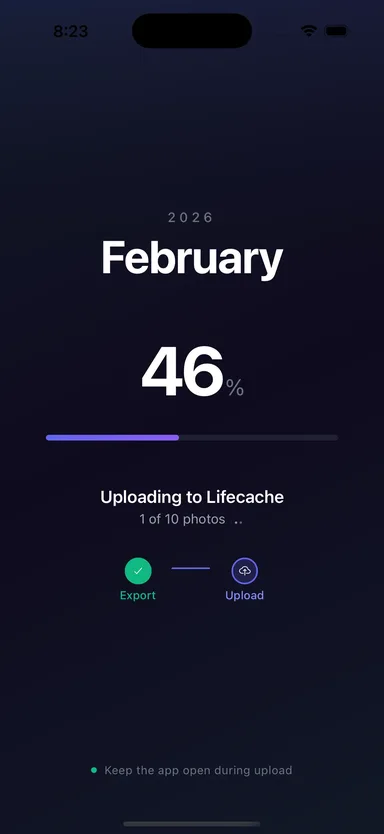
Open LifeCache on your iPhone, pick a month, and upload your photos from your camera roll. The app pulls in everything from that month — it takes about 30 seconds.
Step 2: AI groups your photos into events
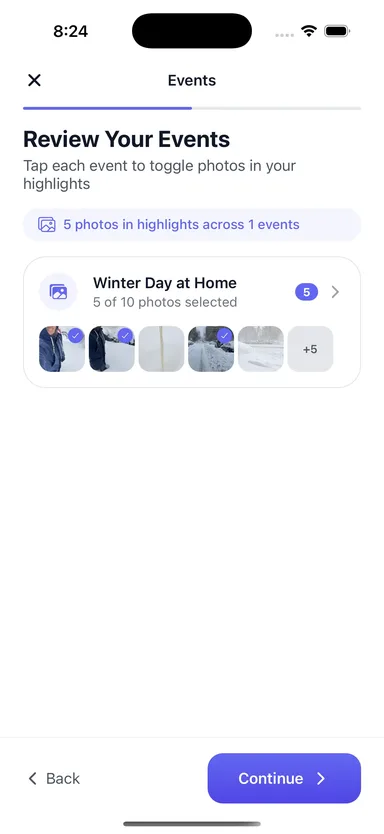
This is where it gets interesting. LifeCache’s AI looks at timestamps, locations, and gaps between photos to automatically group them into events. A weekend trip to the coast. Tuesday dinner with friends. Saturday morning at the farmers market.
Each event gets a name, a description, and a set of highlighted photos — all generated automatically.
Step 3: Review and tweak
You get a screen showing what AI picked. Swap a photo if you want. Edit a caption. Or just approve it and move on. This is the 5-minute part — reviewing what AI already built for you.
Step 4: At year’s end, print your book
After 12 months of 5-minute reviews, you have a complete yearbook ready to print. Choose hardcover or softcover, pick your layout, and order.
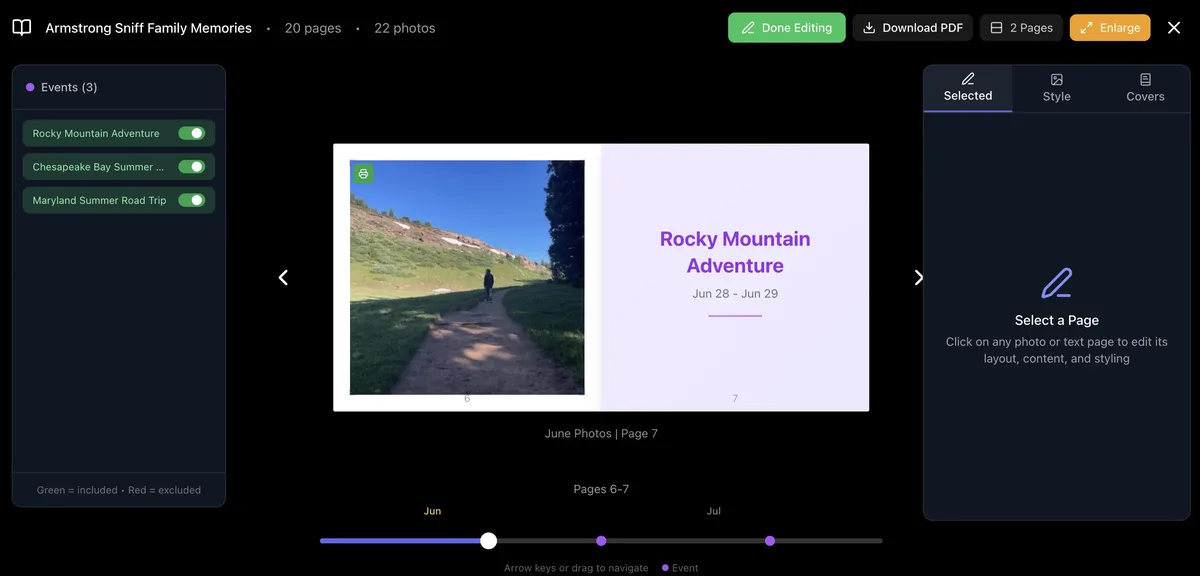
That’s it. No blank templates. No 20-hour design sessions. No abandoned projects.
What are the ways to make a photo book from your phone?
There are really three approaches, and they map to three different jobs:
- Manual design apps — craftsmanship. Mixbook and Shutterfly give you total control over every page. You place each photo, write every caption, and pick every layout. The output is beautiful, but it’s a 15-20 hour project.
- Auto-from-social apps — automation. Chatbooks reprints your Instagram or Facebook feed into small monthly books with zero effort. Fast and hands-off, but it’s a reprint of what you posted, with no curation or context.
- AI-curated apps — memory intelligence. LifeCache reads your whole camera roll, uses AI to pick your best moments, groups them into events, writes the captions, and asks monthly prompts so the book captures the story — not just the photos. About 5 minutes a month.
That last category is the wedge: where Chatbooks competes on automation and Mixbook competes on craftsmanship, LifeCache competes on memory intelligence — the AI doing the remembering, curating, and narrating for you.
How is this different from Shutterfly or Chatbooks?
Fair question. Here’s the honest breakdown:
| Traditional (Shutterfly, Mixbook) | Auto-print (Chatbooks) | AI Yearbook (LifeCache) | |
|---|---|---|---|
| Time to create | 15-20 hours | Automatic but basic | ~60 min total (5 min/month) |
| Photo selection | ❌ Manual | ✅ Auto from Instagram | ✅ AI picks from camera roll |
| Captions | ❌ You write them | ❌ None | ✅ AI-generated, you edit |
| Event grouping | ❌ Manual | ❌ No grouping | ✅ Auto by time + location |
| Monthly prompts | ❌ | ❌ | ✅ Captures context |
| Best for | One-off projects with time | Quick social media prints | Ongoing yearbook with depth |
Shutterfly and Mixbook give you total control — but that control is exactly what makes them take 20 hours. Chatbooks is fast but pulls from social media and doesn’t capture any context. LifeCache sits in the middle: AI does the heavy lifting, you add the meaning.
What makes the “5 minutes a month” actually work?
Three things:
1. Monthly cadence, not annual panic. Instead of trying to remember your entire year in December, you review one month at a time while it’s fresh. January in February. February in March. The memories are still vivid.
2. AI handles the curation. You’re not starting from scratch. You’re reviewing a curated set of highlights and saying yes or no. That’s fundamentally different from scrolling through 300 photos trying to pick 10.
3. Monthly prompts capture what photos can’t. What was the highlight of this month? Best meal? Favorite show? These tiny bits of context are what make a yearbook feel like a diary — not just a photo dump.
Is the quality actually good?
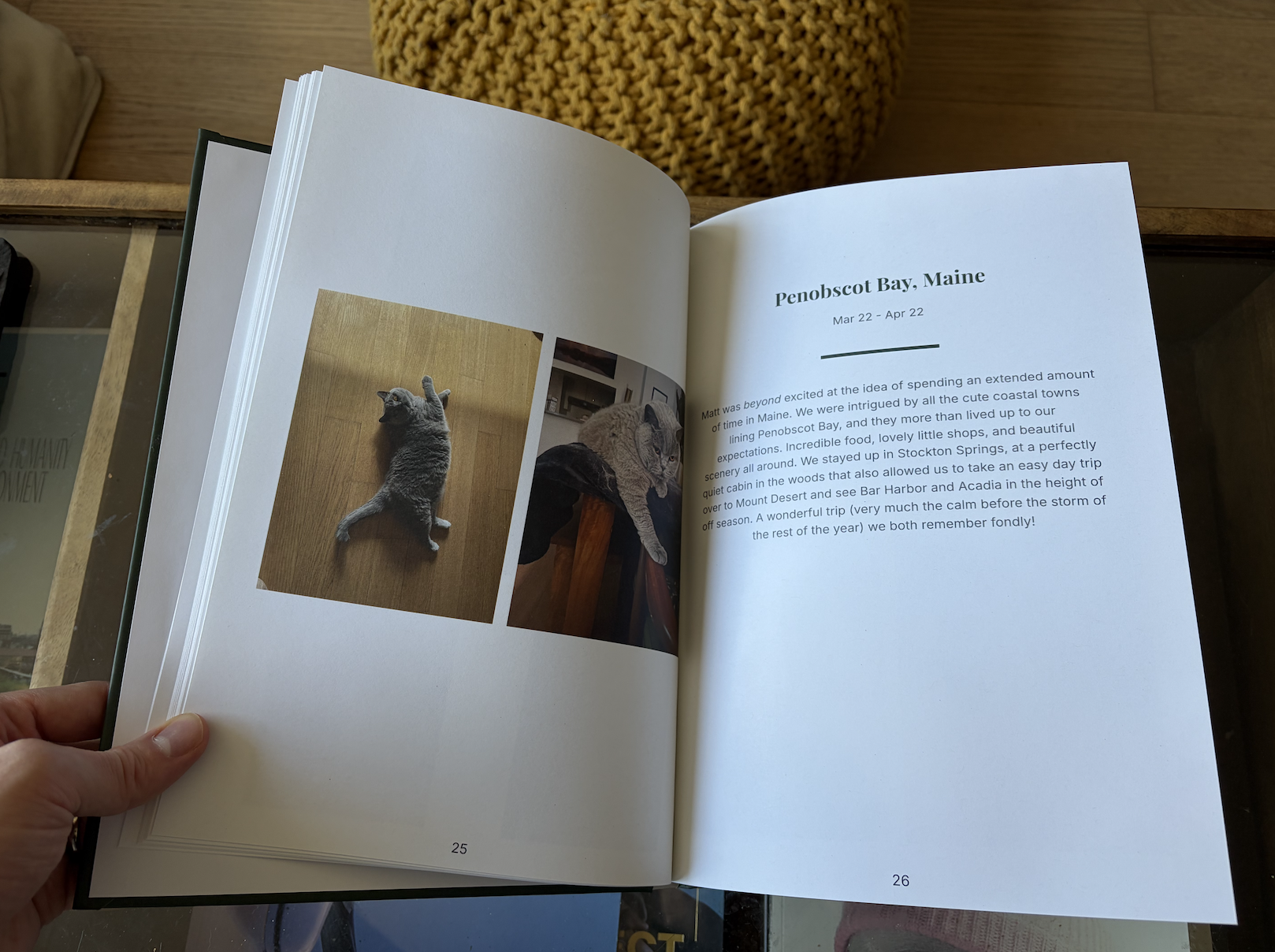
I’m biased, but yes. LifeCache books are printed on premium stock with professional binding. Hardcover with PUR binding. Glossy or matte finish. Up to 300 pages.
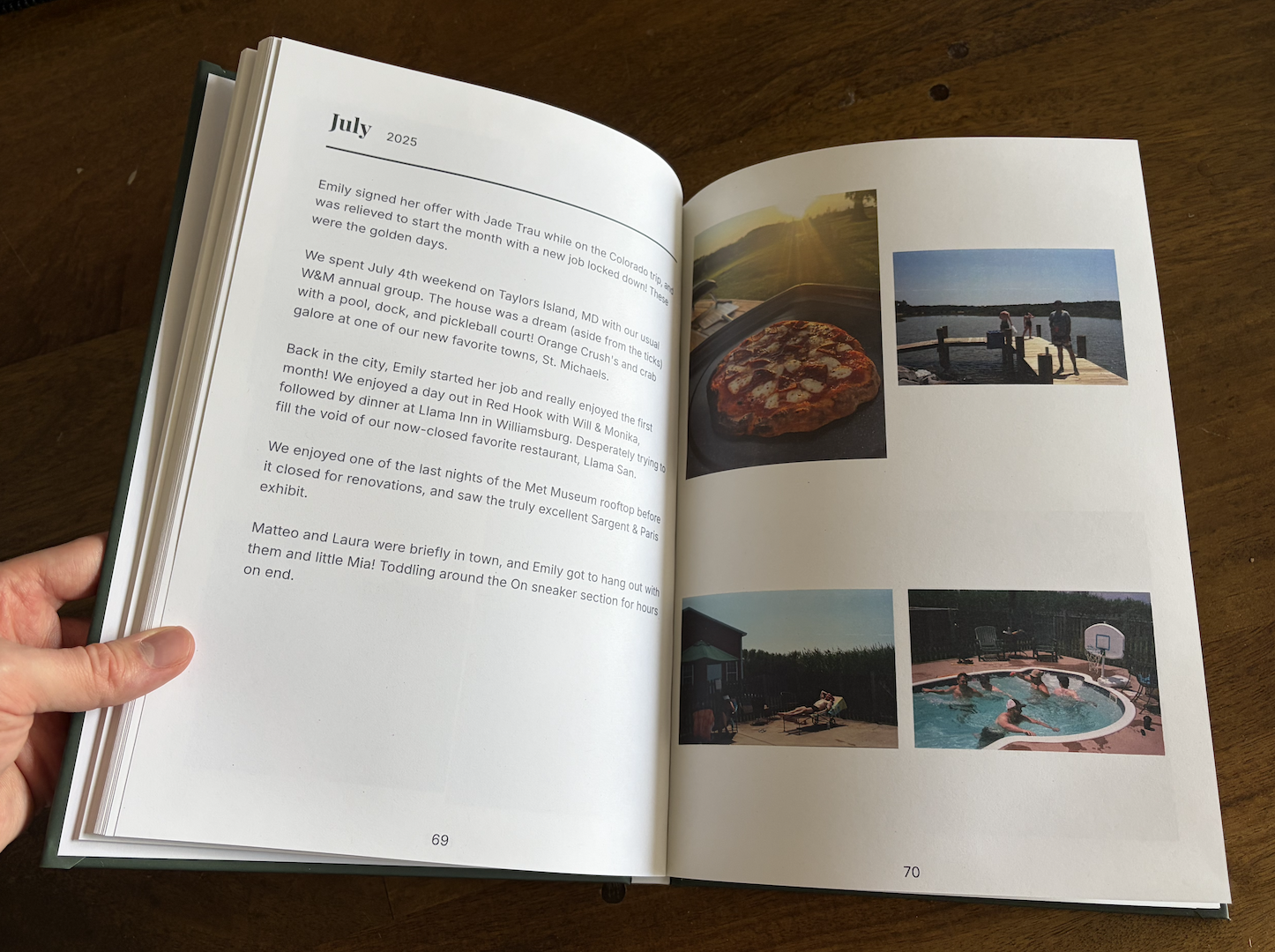
But more importantly — the content quality is what matters. Because AI curates your best photos and captures context through monthly prompts, the finished book reads like a memoir, not a photo album. Event titles, narrative descriptions, your own reflections. It’s the kind of book you’ll actually pull off the shelf in 10 years.
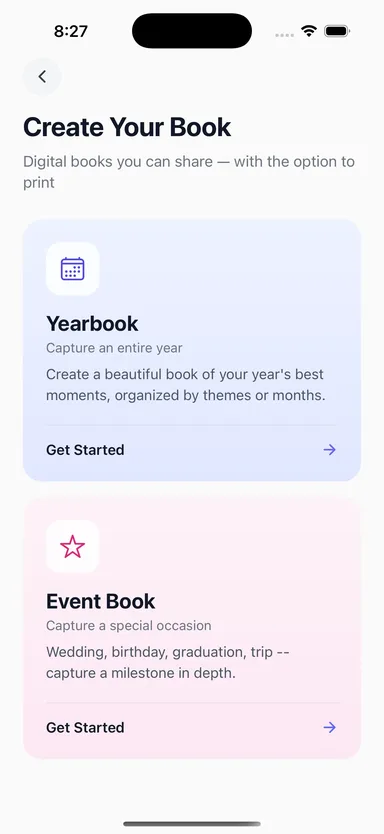
What if I want to make a book for a specific event?
LifeCache isn’t just for yearbooks. You can also create Event Books — dedicated photo books for a single occasion. A wedding. A trip. A baby’s first year. A graduation.
Upload the photos from that event, and the same AI process handles grouping, captioning, and layout. You get a focused book for that one milestone.
How do I get started?
Download LifeCache for iPhone and upload your first month’s photos. The AI will organize them into events, pick highlights, and show you what your yearbook page looks like.
It takes about 5 minutes. And next December, you’ll have a complete printed book of your year — without the 20-hour project.
Still comparing options? See our full roundup of the best automatic photo book apps — including Chatbooks, Mixbook, and how AI-curated apps stack up against auto-from-social and manual tools.
Frequently Asked Questions
What are the best services for printing memory books from my smartphone?
For a printed memory book built from a smartphone without manual uploading, LifeCache reads the iPhone camera roll directly, selects the photos, writes the captions, and prints a hardcover from $39.99. Chatbooks prints small softcover memory books automatically from a connected source, from $10. Mixbook and Shutterfly both have capable phone apps but you choose and place every photo yourself. Journi is the strongest option if the memory book is specifically a trip.
Can I turn my smartphone photos into a printed album without a computer?
Yes. The whole LifeCache flow is designed to run on the phone: upload from the camera roll, review what the AI selected, answer a couple of prompts, and order the printed album. No desktop step, no exporting, no file management. This is the main practical gap left by Apple discontinuing its own photo books, because the surviving Apple-native options, Motif and Mimeo Photos, are Mac-only.
How long does it actually take to make a photo book with LifeCache?
About 5 minutes per month for the review step, totaling roughly 60 minutes across a full year. The AI handles photo selection, event grouping, and caption generation automatically. You just review and approve.
Can I make a photo book from my iPhone camera roll?
Yes. LifeCache is built for iPhone and pulls photos directly from your camera roll. You select a month, upload, and the AI organizes everything by event using timestamps and location data.
How much does a LifeCache photo book cost?
LifeCache offers a free 7-day trial, no credit card required. After that, annual plans start at $50/year (Individual) and include a $25 print credit. Hardcover books start at $39.99, softcover less.
What’s the difference between a yearbook and an event book?
A yearbook captures your entire year month by month — 12 months of highlights, events, and reflections in one book. An event book is a dedicated book for a single occasion like a wedding, trip, or baby’s first year.
Do I need design skills to use LifeCache?
No. LifeCache is an AI photo book maker that handles layout, photo selection, and captioning automatically. You can customize everything if you want, but the default output is print-ready without any design work.
Can I share my photo book digitally instead of printing?
Yes. You can generate a private share link that lets family and friends browse your book digitally — no account required. You can also download a PDF.
What’s the easiest way to make a photo book from your phone?
The easiest way is an AI photo book app that reads your camera roll and does the curation for you. There are three approaches: manual design apps (Shutterfly, Mixbook) where you place every photo yourself; auto-from-social apps (Chatbooks) that reprint your Instagram or Facebook feed; and AI-curated apps (LifeCache) that select your best photos, group them into events, and write captions automatically — about 5 minutes a month.
Can I make a photo book online from my phone without a computer?
Yes. With an app like LifeCache you make the entire book on your iPhone — upload from your camera roll, let AI organize and caption it, review on your phone, and order a printed hardcover, all without a computer.