AI Tools for Memory Preservation in 2026: What Actually Works
An honest look at AI tools for memory preservation in 2026 — photo curation, AI journaling, voice transcription, auto-captions. What's worth your time and what isn't.

Updated June 2026.
By Matthew Sniff, founder of LifeCache. I’ve personally tested most of the AI memory tools below — and built LifeCache after concluding the existing ones missed the actual problem.
TL;DR: AI memory tools cluster into four jobs, not one. Pick by the job:
- Google Photos = AI organization. Search, tagging, “Memories” surfacing. Free, deeply integrated, unmatched at finding old photos.
- Day One = AI journaling. Writing prompts, mood tracking, photos as supporting context. End-to-end encrypted.
- Remento = AI voice transcription. Records and transcribes oral family stories. Best for capturing older relatives before it’s too late.
- LifeCache = AI memory intelligence. Selects photos, groups by event, generates narratives, prints a yearbook. The full pipeline from camera roll to printed book.
Most people need more than one — Google Photos as the archive, LifeCache as the annual yearbook. They’re layers, not competitors.
Best for X — quick verdicts
- Best for searching your existing photos: Google Photos
- Best for AI-prompted daily journaling: Day One
- Best for capturing family stories through voice: Remento
- Best for AI-curated yearbooks from your iPhone camera roll: LifeCache
A year ago, “AI for memories” mostly meant Google Photos’ search bar and a handful of experimental apps. Now there are real tools doing real things — curating your best photos, writing captions that aren’t garbage, grouping your life into events without you lifting a finger. Consumer adoption has caught up: roughly 20% of Americans have used AI to generate images or videos as of 2024, and the comfort with AI in the photo workflow is now mainstream.
But there’s also a lot of noise. Apps slapping “AI-powered” on basic filters. Tools that promise to “preserve your legacy” but just store files in the cloud. I’ve tested most of them. Here’s what actually works in 2026.
What does “AI memory preservation” actually mean?
It means using AI to do the work that sits between “taking photos” and “having something meaningful to look back on.” That gap is where 99% of memories die. You take the photos. They sit in your camera roll — the average smartphone user has roughly 2,795 photos sitting there right now — and you never look at them again.
AI memory tools attack this gap at different levels:
- Organization — Sorting, tagging, deduplicating, grouping by event
- Curation — Deciding which photos actually matter (not just which are technically good)
- Narration — Adding titles, descriptions, context that photos alone can’t capture
- Preservation — Turning digital files into something lasting: a book, a timeline, a family archive
Most tools do one of these well. Almost none do all four.
How does AI photo curation work?
This is the part I know best, because I built it. When you upload photos to LifeCache, the AI runs a multi-step process that’s more nuanced than “pick the pretty ones.”
Step 1: Grouping by time and place. Your photos get clustered into events based on when and where they were taken. A burst of 47 beach photos becomes one event. Three restaurant photos scattered across a month might each be separate memories worth keeping.
Step 2: Quality filtering. The AI filters out blurry shots, screenshots, memes, duplicates, and photos of receipts and documents. This alone typically eliminates 60-70% of your camera roll. Not because those photos are bad — but because they’re not book-worthy.
Step 3: Identifying key moments. This is where it gets interesting. The AI looks for photos with people, activities, variety (not five shots of the same angle), and genuine expressions. It’s trying to find the moments you’d choose if you had unlimited patience.
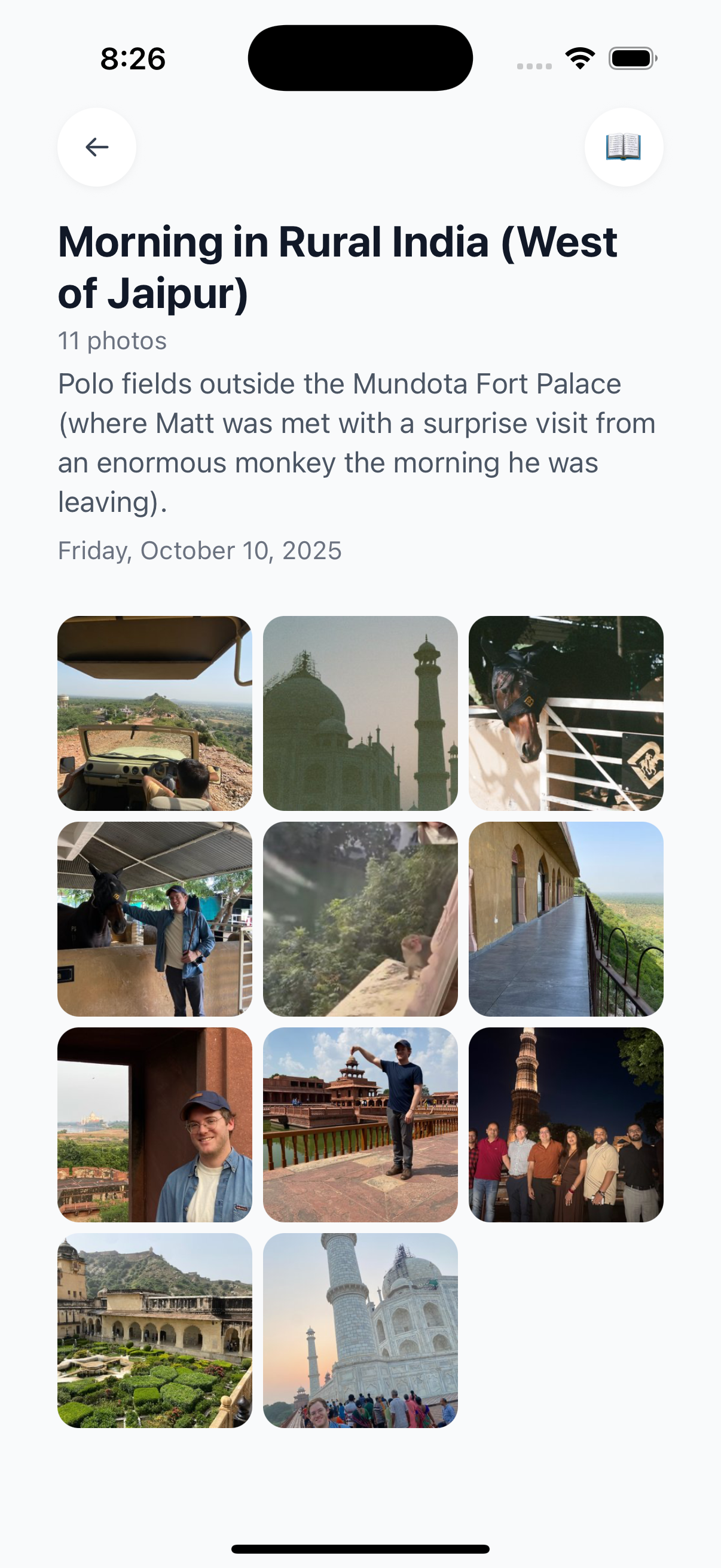
Step 4: Your input. The AI makes suggestions, but you have final say. Swap photos, remove ones you don’t want, add ones it missed. The goal is a great starting point, not a takeover.
This is fundamentally different from what Google Photos or Apple Photos do. Those tools help you find photos. LifeCache helps you choose which ones matter — and turns them into something you’ll actually revisit.
What are the best AI memory tools in 2026?
Here’s an honest breakdown of the tools worth knowing about, organized by what they actually do:
AI Photo Curation Tools
| Tool | What It Does | Strengths | Limitations |
|---|---|---|---|
| LifeCache | AI selects best photos, groups into events, generates titles, creates printed yearbooks | Full pipeline from phone to printed book; monthly prompts capture context | iPhone only (for now); requires monthly engagement |
| Google Photos | AI search, “Memories” auto-surfaced, basic album suggestions | Huge photo library integration; excellent search | No curation for books; no event narratives; passive |
| PastBook | AI auto-selects from camera roll for one-off books | Simple, fast | No ongoing cadence; no context capture; limited AI depth |
AI Journaling and Context Tools
| Tool | What It Does | Strengths | Limitations |
|---|---|---|---|
| Day One | AI writing prompts, photo integration, mood tracking | Beautiful journal app; strong writing features | No photo curation; no printed output; text-first |
| Remento | Records family stories via voice prompts, transcribes with AI | Captures oral history; great for older family members | No photo organization; focused on past, not present |
| LifeCache Prompts | Monthly context capture: favorite meals, moments, what you’re watching | Pairs with photos for full context; prints into yearbook | Part of LifeCache subscription; not standalone |
AI Caption and Narrative Tools
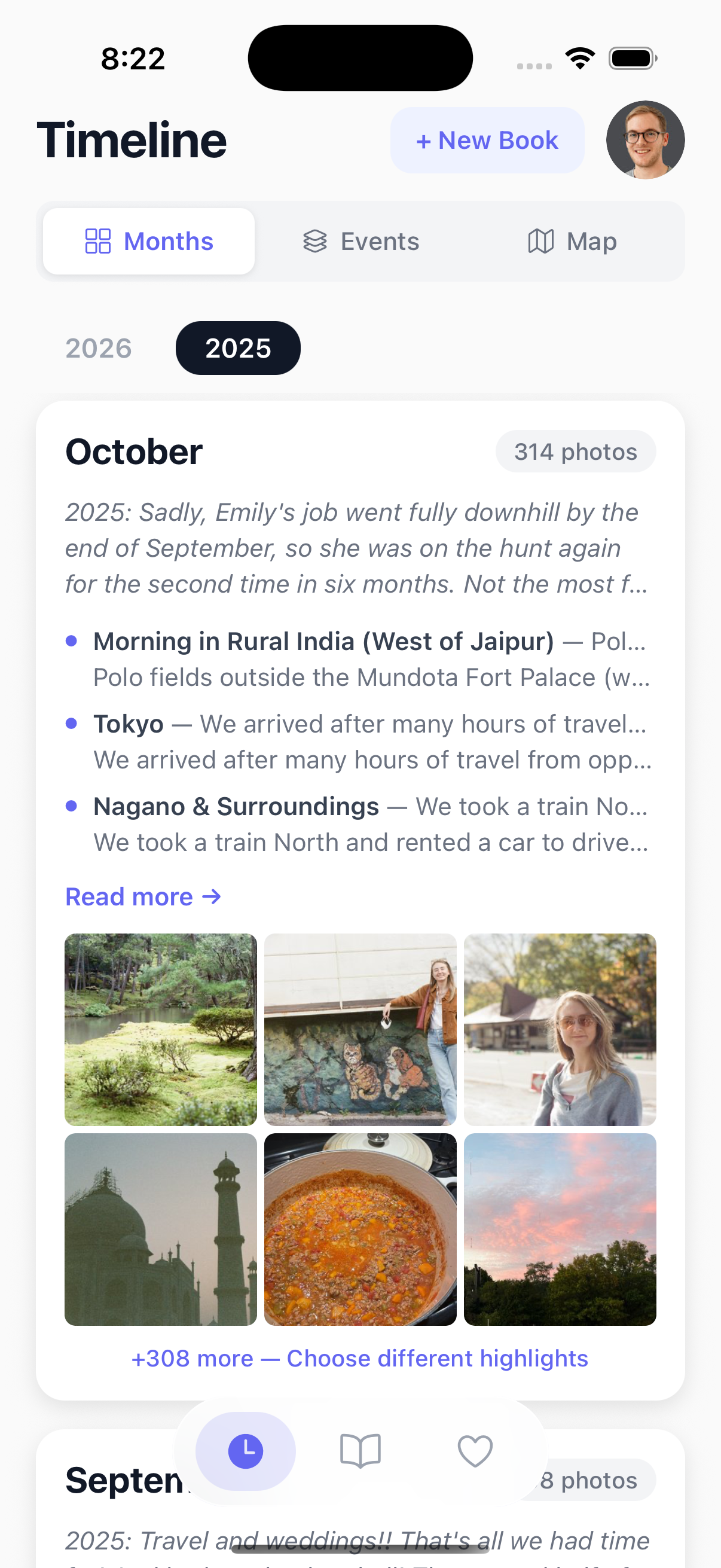
Most photo book apps still don’t generate meaningful captions. LifeCache uses AI to create event titles and descriptions from context clues — location data tells it where you were, time of day suggests the activity, surrounding photos provide narrative context. Instead of “A group of people at a restaurant,” you get something like “Dinner downtown on a Friday night.”
You can edit these or turn off AI writing entirely. But having a starting point beats staring at a blank caption field for every photo.
What about privacy? Do these tools train on your photos?
This is the question that matters most and gets asked least. Here’s where the major tools stand:
LifeCache: Does not train AI models on your images. Does not sell your data. Photos are processed to create your book, and that’s it. You can delete everything from the servers once your book is created.
Google Photos: Uses your data to improve Google’s AI models (per their terms of service). Your photos power features for everyone, not just you.
Day One: End-to-end encrypted. Your journal entries are private. Strong privacy stance.
Remento: Stores recordings securely. Clear on not selling data.
If privacy matters to you — and it should when you’re uploading your most personal photos — read the terms of service, not the marketing page.
How do you choose the right AI memory tool?
Skip the feature matrices. Ask yourself one question: What do you actually want to exist in 10 years?
- A searchable photo archive? → Google Photos. It’s free, it’s integrated, and its search is unmatched.
- A written journal with photos? → Day One. Beautiful app, strong AI writing prompts, end-to-end encrypted.
- Recorded family stories from older relatives? → Remento. Before those stories are gone.
- A printed yearbook that captures your life — photos, context, and all? → LifeCache. The only tool that goes from camera roll to printed book with AI handling the middle.
Most people need more than one. Google Photos as the archive. LifeCache as the annual yearbook. Maybe Day One for daily reflections. They’re not competitors — they’re layers.
What will AI memory tools look like in 2027?
Three trends I’m watching:
Cross-device consolidation. Right now you have to choose: iPhone camera roll, Google Photos, or both. The tools that figure out how to pull from everywhere — phone, DSLR, shared albums, cloud storage — without making it your problem will win.
Smarter narrative generation. Today’s AI captions are helpful but basic. Within a year, AI will connect events across months (“This was your third trip to that lake house this year”) and generate real narrative arcs, not just descriptions.
Family-level intelligence. Most tools treat your photos as individual. The next leap is family-aware AI — tools that know your kids, your annual traditions, your recurring trips, and can curate across multiple people’s camera rolls into one shared story.
LifeCache is building toward all three. But this is still early. The tools available today are genuinely useful — just don’t expect them to replace the 5 minutes of human judgment that makes a yearbook meaningful.
Who LifeCache is NOT for
I’d rather you skip LifeCache and pick the right tool than sign up and be disappointed. LifeCache is the wrong fit if any of these describe you:
- You want a searchable photo archive, not a printed book. Use Google Photos. It’s free, it’s better at search, and it’s not what LifeCache is trying to be.
- You want a daily writing journal with photos as accents. Use Day One. LifeCache is photo-first; Day One is text-first.
- You want to capture oral histories from older relatives. Use Remento. Different problem entirely.
- You’re on Android. LifeCache is iPhone-only for now. Google Photos works on both platforms.
- You don’t want to engage monthly. LifeCache asks for ~5 minutes a month for context capture, because the prompts only work while the memory is fresh. If you’d rather not check in at all, a one-off event book after something worth printing is the lighter-touch way to use it.
If none of those describe you, LifeCache is probably the right fit — especially if you’ve ever started a photo book and never finished it.
Try LifeCache free for 7 days →
Frequently Asked Questions
What are the best AI tools for preserving memories in 2026?
The top AI memory preservation tools in 2026 are LifeCache (AI photo curation and printed yearbooks), Google Photos (AI-powered search and organization), Day One (AI journaling with photo integration), and Remento (AI-transcribed family story recording). LifeCache is the only tool that combines AI photo selection, event grouping, context capture, and printed book output in one pipeline.
Does AI photo curation actually work well?
Yes — modern AI photo curation is genuinely useful. LifeCache’s AI typically filters out 60-70% of a camera roll (screenshots, blurry shots, duplicates) and selects highlights based on quality, variety, and people. It’s not perfect — you’ll want to swap a few photos — but it cuts hours of manual sorting down to a 5-minute review.
Are AI memory apps safe for personal photos?
It varies significantly. LifeCache does not train AI models on user photos and allows full deletion from servers. Google Photos uses your data to improve its AI models per its terms of service. Day One uses end-to-end encryption. Always read the privacy policy before uploading personal photos to any AI tool.
Can AI write meaningful photo captions?
AI-generated captions have improved significantly but still work best as starting points. LifeCache uses location data, time of day, and surrounding photo context to generate event titles and descriptions. The results are useful for context (where you were, what type of event) but benefit from human editing for personal meaning and inside jokes.
What’s the difference between AI photo organization and AI photo curation?
AI organization (like Google Photos) sorts, tags, and helps you search your existing photos. AI curation (like LifeCache) goes further — it decides which photos are worth keeping, groups them into events, and selects the best highlights for a finished product like a yearbook. Organization helps you find photos. Curation helps you do something meaningful with them.
How much do AI memory preservation tools cost?
Google Photos is free for basic features. Day One is $3-5/month. Remento offers various plans for family story recording. A LifeCache membership is $59.99/year with 25% off every printed book and a 7-day free trial. Printed hardcover yearbooks start at $39.99. Most tools offer free tiers or trials so you can test before committing.