How to Print Photos From Your iPhone: Prints, Canvas and Wall Art (2026)
Every way to print photos from an iPhone, compared: same-day pharmacy prints, mail-order labs, AirPrint at home, and app-based print shops. Plus which product suits which photo, and how big you can print.
Updated October 2026.
Quick answer: To print photos from your iPhone, pick one of four routes. Same-day pharmacy prints (Walgreens, CVS) are fastest for a few 4×6s. Mail-order labs (Shutterfly, Mpix, Printique) are best when you know exactly which photos you want and care about paper. AirPrint sends a photo to a home printer in three taps. An app with its own print shop — like the LifeCache Print Shop — is best when the real problem is choosing which of your 10,000 photos deserve printing: the AI has already sorted them, and photo prints start at $0.99, canvas at $39.99.
Printing a photo from an iPhone takes about thirty seconds. Every service in this post can do it. That’s not why most camera rolls never become prints.
The reason is the step before printing: scrolling through four years of photos, three near-identical shots per moment, trying to decide which one is worth $40 of canvas. Most people give up there, not at checkout. So this guide covers both halves: how to get a photo onto paper, canvas or metal, and how to decide what to print without losing an evening to it.
The four ways to print photos from an iPhone
| Route | Best for | Speed | Products | What you have to do yourself |
|---|---|---|---|---|
| Same-day pharmacy (Walgreens, CVS) | A few 4×6s you need today | Usually same day, in-store pickup | Prints, some enlargements, cards, a few canvases | Choose every photo; drive to the store |
| Mail-order lab (Shutterfly, Mpix, Printique) | Specific photos you’ve already chosen, pro-grade paper | Typically several days to two weeks | Wide range: prints, wall art, cards, books | Choose every photo; upload; design |
| AirPrint to a home printer | One-off prints right now, at home | Minutes | Whatever paper your printer takes, usually up to letter size | Own a photo printer and paper; color-manage it |
| LifeCache Print Shop (iPhone app) | Printing your best photos without hunting for them | Budget 10–15, Standard 5–7, Express 3–5, Overnight 1–2 business days | 14 products: photo prints, art prints, posters, framed, canvas, metal, wood, tiles, cards, postcards, calendars | Approve the AI’s picks; choose a product |
None of these is wrong. They fail in different places:
- Pharmacies are unbeatable on speed, but quality and paper choice vary by store, and big wall art isn’t really their business.
- Mail-order labs have the deepest catalogs and the best paper, and they assume you arrive with a folder of finished selects. Most people don’t have one.
- AirPrint is free if you already own a good photo printer. If you don’t, ink and paper usually cost more per print than a lab, and home inks are typically less fade-resistant.
- App print shops trade some catalog depth for skipping the selection problem entirely. That’s the trade LifeCache makes.
Option 1: Same-day prints at a pharmacy
The fastest path from phone to paper. Most US pharmacy chains accept uploads from their own app or website and have prints ready for pickup, often within an hour.
- Install the pharmacy’s app (or use its photo website in Safari).
- Allow access to your photo library and select the photos.
- Choose size (4×6 is the standard snapshot) and finish.
- Pick the store and pickup time, pay, collect.
Good for: school projects, a photo for a card tonight, last-minute frames. Less good for: anything large, anything you’ll hang for years, or a batch of 200 where you haven’t picked the 200 yet.
Option 2: Mail-order photo labs
Shutterfly, Mpix and Printique are the long-standing names. Each has an iPhone app, a large catalog and frequent promotions, and Mpix and Printique in particular are known for professional-grade papers.
The workflow is the same everywhere: upload, choose a product, crop, order, wait for delivery. The friction is all on your side of the upload button. A lab will print whatever you send, including the blurry one, the duplicate and the screenshot of a parking spot.
Pick a lab if you’re a photographer or a careful curator who already exports finished selects, or you want a specialty paper a lab is known for.
Option 3: AirPrint to a printer at home
If your printer supports AirPrint, printing is built into iOS:
- Open the photo in Photos.
- Tap Share → Print.
- Choose the printer, number of copies and paper size, then tap Print.
Quality is the variable. A decent inkjet on glossy photo paper produces a respectable 4×6; a general-purpose office printer on plain paper does not. For keepsakes, a lab or print shop is usually both cheaper per print and longer-lasting.
Option 4: Print from the app that already sorted your photos
This is where LifeCache comes in, and it’s worth being honest about why it exists.
I built LifeCache because the bottleneck in my own house was never printing. It was choosing. LifeCache reads your camera roll, throws out duplicates and screenshots, groups photos into events by time and place, and scores which ones are worth keeping. That was originally for the photo books it builds automatically. The Print Shop puts the same curated library behind a store.
What that changes in practice:
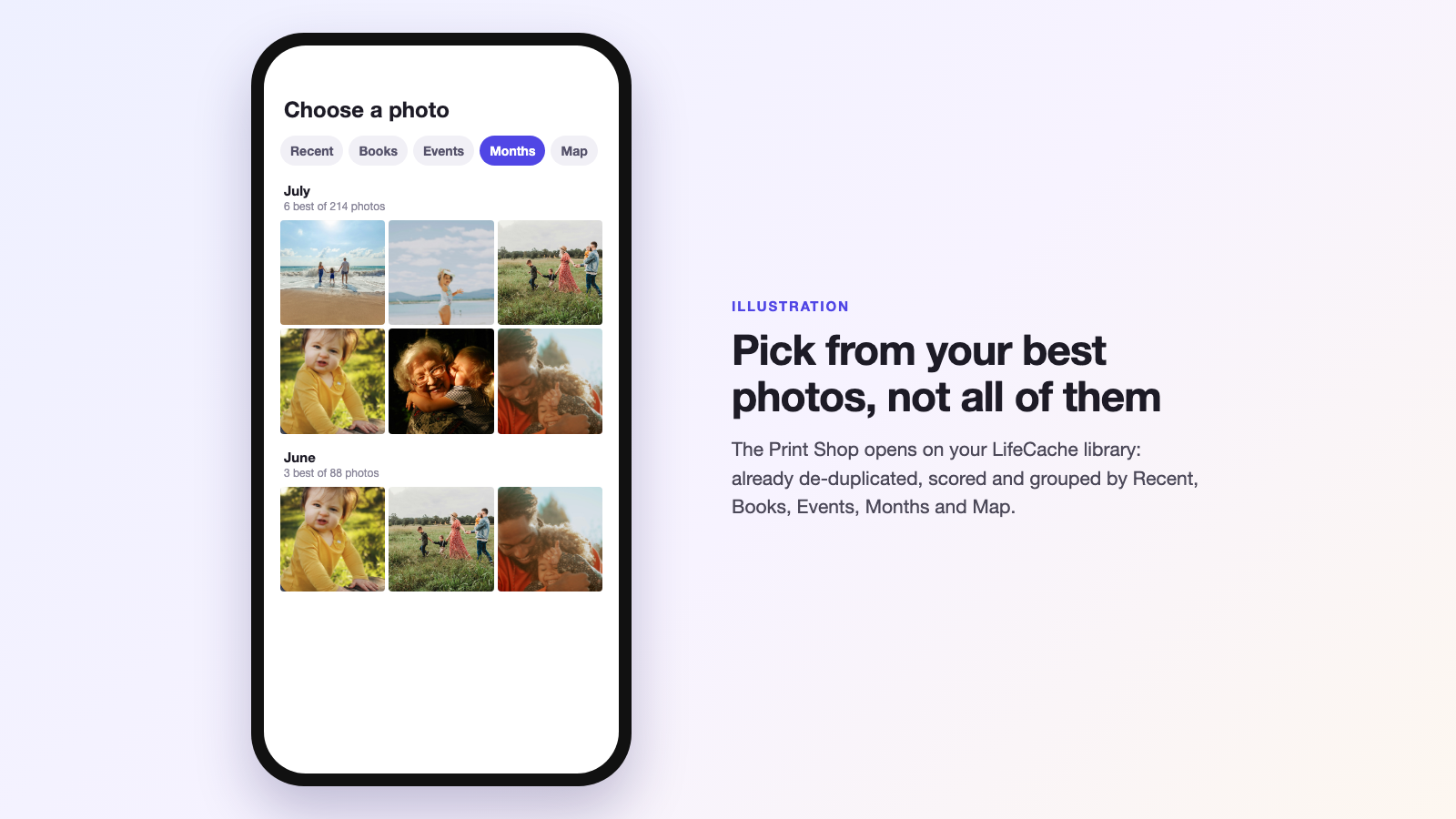
- You browse your best photos, not all of them. The photo picker opens on your LifeCache library, organized by Recent, Books, Events, Months and Map. Looking for the beach trip? Tap Events. Want last October? Tap Months.
- Full-size originals. When the photo was taken on that phone, the app sends the full-size original for printing, which matters for large canvas and metal.
- No soft prints. The app won’t offer sizes your photo can’t print well. Every product needs roughly 150 DPI at minimum, and print files are prepared at about 300 DPI.
- See it before you buy. Each product shows a live mockup with your actual photo: frame color, canvas edge style, a card front at its real shape.
- A calendar fills itself. The wall calendar has a Fill from my year button that puts the best photo of each month on its month page and the best photo of the year on the cover. Swap any you don’t like.
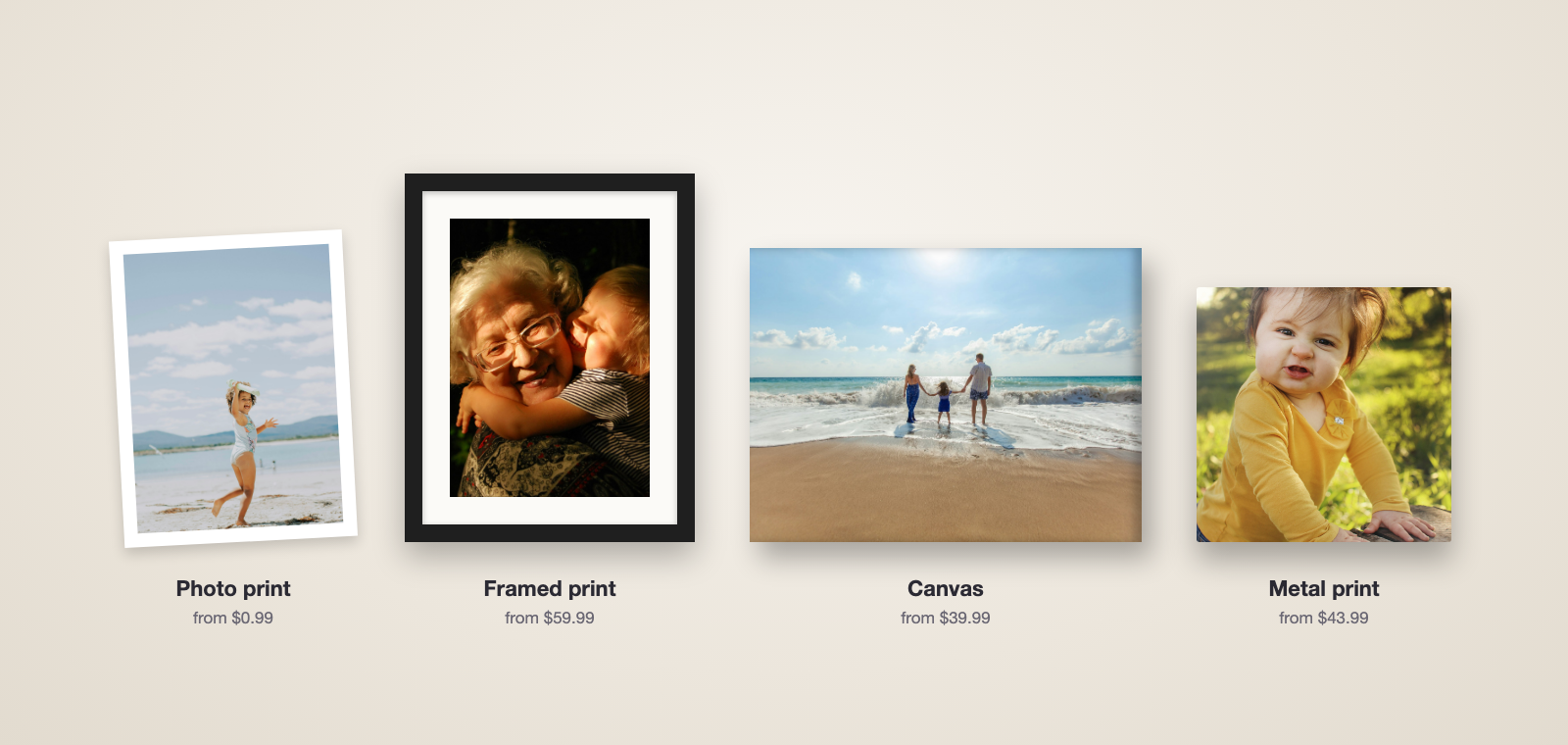
What the Print Shop sells, and what it costs
| Aisle | Product | From |
|---|---|---|
| Prints & Posters | Photo print (gloss or lustre) | $0.99 (4×6, 5×7) |
| Art print (museum-grade matte) | $11.99 | |
| Poster | $7.99 | |
| Poster hanger (wooden rails) | $19.99 | |
| Wall Art | Canvas | $39.99 |
| Framed print (8 frame colors, optional mat) | $59.99 | |
| Framed canvas | $55.99 | |
| Metal print | $43.99 | |
| Wood print (maple) | $23.99 | |
| Display print (lean on a shelf) | $7.99 | |
| Photo tiles (stick on, no nails) | $15.99 | |
| Cards & Calendars | Greeting cards with envelopes | $3.99 single; packs of 10–100 |
| Postcards | $2.99 single; packs of 10–100 | |
| Wall calendar | $17.99 (A5) / $19.99 (A4) |
US prices, before shipping and tax. Members get 20% off everything in the Print Shop, and anyone who has bought a printed LifeCache book gets a one-time 20% off their first shop order. Print credit can be applied at checkout. The full catalog with sizes is on the Print Shop page.
The honest limits: it’s iPhone only. You print from photos in your LifeCache library, so photos need to be uploaded first (which is the point; that’s what sorts them). And a dedicated lab like Mpix will offer more specialty papers.
Which product for which photo?
The product matters as much as the photo. A rough guide:
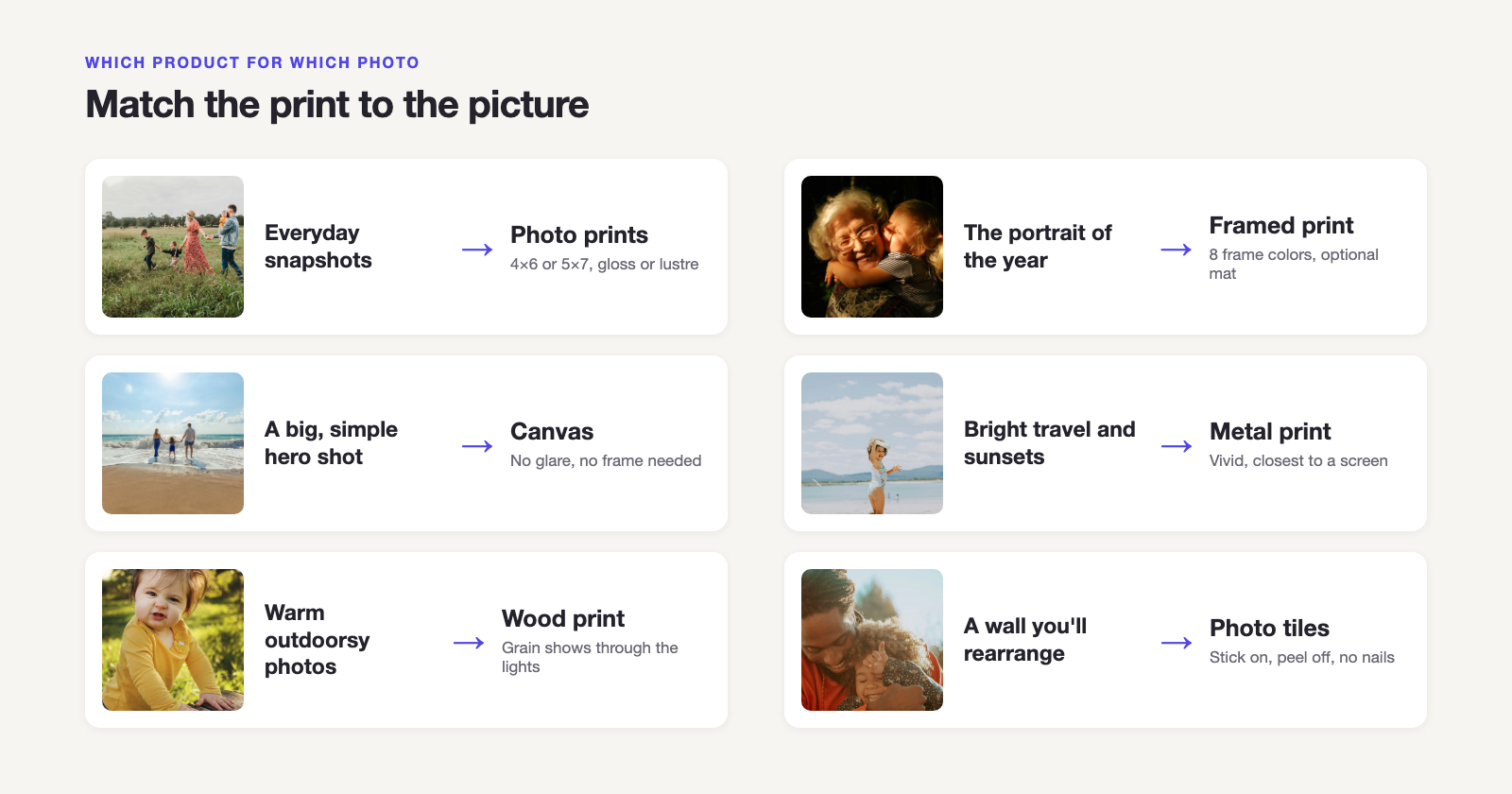
| The photo | Print it as | Why |
|---|---|---|
| Everyday snapshots, a stack for an album or fridge | Photo prints, 4×6 or 5×7 | Cheap, quick, and lustre hides fingerprints |
| The one great family portrait of the year | Framed print | A mat and frame make it look finished; easy to swap later |
| A big, simple, emotional shot (beach, kids running) | Canvas | Texture forgives slight softness; no glare; no frame needed |
| Bright, saturated travel or sunset photos | Metal print | Closest thing to a backlit screen; vivid color, modern look |
| Warm, rustic or outdoorsy photos | Wood print | The grain shows through lighter areas, which suits nature shots |
| A gallery wall you’ll rearrange every season | Photo tiles | Stick on and peel off, no nails |
| Twelve good photos from one year | Wall calendar | Use Fill from my year and you’re done |
For the tradeoffs in depth, see canvas vs metal vs framed vs wood prints. For paper finishes, see gloss vs lustre vs matte photo paper.
How big can you print an iPhone photo?
Bigger than most people assume, if it’s the original file.
| Photo | Pixels | Sharp at 300 DPI up to | Fine at 150 DPI up to |
|---|---|---|---|
| 12 MP (most iPhones since the iPhone 6s) | 4032 × 3024 | about 13 × 10 in | about 27 × 20 in |
| 24 MP (default on recent 48 MP models) | 5712 × 4284 | about 19 × 14 in | about 38 × 28 in |
| 48 MP (ProRAW/HEIF Max) | 8064 × 6048 | about 27 × 20 in | about 53 × 40 in |
| A photo saved from a message or social app | often ~1000–2000 px wide | about 4 × 6 to 6 × 8 in | about 8 × 10 to 12 × 16 in |
Three things quietly shrink a photo: cropping (zooming in on one face can cut it to a quarter of the pixels), screenshots, and photos that came through a messaging app, which compress them. The print size guide goes model by model. In the LifeCache Print Shop you don’t need the math: sizes your photo can’t support aren’t offered.
The step everyone skips: deciding what to print
If you have 10,000 photos and print none of them, a better printer won’t fix it. A selection process will. Three approaches that work:
- One per month. Pick the single best photo from each month of the last year. Twelve photos is a calendar, a gallery wall, or a stack of 5×7s for grandparents. (LifeCache’s calendar does this pick for you.)
- One per event. Every trip, birthday and holiday gets one hero shot. Those are your canvases.
- Let software do the first pass. Favorites in Apple Photos are a start, but they depend on you remembering to tap the heart. Tools that score and group photos automatically, like LifeCache, give you a shortlist to approve instead of a haystack to search.
If your camera roll is the actual obstacle, start with what to do with 10,000 iPhone photos. If you used to make books in Apple Photos, see how to turn Apple Photos into a printed book now that Apple no longer prints them.
Tips for better prints from a phone
- Print the original, not a copy. Photos re-saved from Messages, WhatsApp or social apps are compressed. Print from your camera roll.
- Turn off heavy filters if the print is going on a wall for years. Natural color ages better.
- Brighten slightly. Paper isn’t backlit. A photo that looks perfect on a phone at full brightness often prints a touch dark.
- Check the crop before ordering. A 4×6 is a different shape from your iPhone’s 4:3 photo, so something gets trimmed. Square products trim more.
- Order wall art a size smaller than you think if you’re unsure about resolution. A sharp 16×20 beats a soft 24×36.
So which should you use?
- You need prints in your hand today → a same-day pharmacy.
- You already have your selects and want pro paper → a mail-order lab like Mpix or Printique.
- You own a good photo printer → AirPrint.
- Your camera roll is the problem, and you want the best photos on your walls, in cards, or in a calendar without hunting → the LifeCache Print Shop.
Frequently Asked Questions
What is the easiest way to print photos from an iPhone?
For a handful of prints today, send them to a same-day pharmacy photo counter like Walgreens or CVS and pick them up, often within an hour. For anything you want to keep or hang (canvas, framed prints, metal, large sizes), order through an app that prints from the phone and ships to you. The LifeCache Print Shop lets you pick from photos its AI has already sorted by month, event and place, with photo prints from $0.99 and canvas from $39.99.
What is the best app to print photos from an iPhone?
It depends on what’s slowing you down. If you already know exactly which photos you want, any lab app works: Shutterfly, Mpix and Printique are well-established mail-order options, and pharmacy apps are fastest. If the hard part is choosing from thousands of photos, LifeCache is built for that: its AI picks and groups your best photos first, then the Print Shop prints them as photo prints, wall art, cards or calendars.
Can I print iPhone photos on canvas?
Yes. Modern iPhone photos (12 megapixels and up) have plenty of resolution for canvas, and canvas texture is forgiving of slight softness. In the LifeCache Print Shop, canvas starts at $39.99 and goes up to 40×40 inches, with a choice of edge: the photo wraps the edge, a mirrored edge, or a black or white edge. The app only offers sizes your particular photo can print sharply.
How big can I print a photo from my iPhone?
A 12-megapixel iPhone photo (4032×3024 pixels) prints at full 300 DPI quality up to about 13×10 inches, and still looks good at 150 DPI up to about 27×20 inches, especially on canvas viewed from across a room. 48-megapixel shots go much larger. Cropped photos, screenshots and photos saved from messages are much smaller and should be printed small.
Can I print photos directly from my iPhone to my home printer?
Yes, if the printer supports AirPrint. Open the photo, tap Share, then Print, and choose the printer, size and number of copies. Quality depends heavily on the printer and paper: an inkjet with glossy photo paper can look good at 4×6, but per-print cost is often higher than a lab and home inks are usually less fade-resistant.
Do printed photos look worse than on the phone screen?
Usually slightly darker, because a screen is lit from behind and paper isn’t. Lustre paper reduces glare and hides fingerprints, gloss gives the most punch, and metal prints come closest to the brightness of a screen. If a print looks dark, the photo was probably underexposed and the screen was flattering it.
Is it cheaper to print photos at a pharmacy or online?
For a few standard 4×6 prints you need today, a pharmacy is convenient and usually inexpensive. Online labs tend to win on large sizes, wall art and print quality, and their prices often move with promotions. In the LifeCache Print Shop, 4×6 and 5×7 photo prints are $0.99 each and members get 20% off everything, plus shipping.
How long does it take to get prints delivered?
Pharmacy same-day prints are typically ready within hours. Mail-order labs usually take several days to two weeks. LifeCache Print Shop orders ship with four speeds chosen at checkout: Budget (10–15 business days), Standard (5–7), Express (3–5) and Overnight (1–2).